lab 96 - acme color schemes
NAME
lab 96 - acme color schemes
NOTES
The inferno version of acme always contained some code to configure the acme color scheme, but I'm not sure if it always, if ever worked.
I modified the code a little in acme-sac to make the color configuration work. And I came up with a few new schemes.
The schemes are checked into acme-sac under /acme/color. To use a different scheme add a line like this to your $home/lib/profile
run /acme/color/evening
Running the "evening" scheme will make acme look like this.
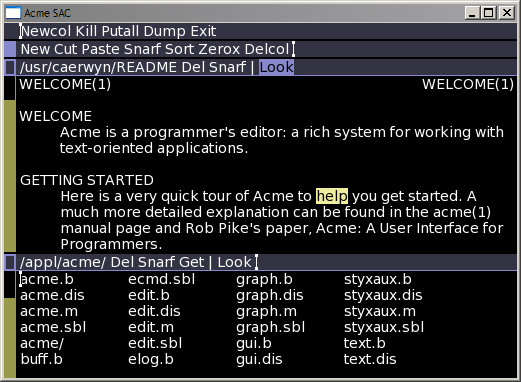
The configuration files sets a few environment variables of the following form:
acme-fg-text-0='#000000'
This sets the foreground text color in the body text to black. It's possible to mix two colors, as for the standard acme background.
acme-bg-text-0='#FFFFAA/#FFFFFF'
Another simple scheme is "bw" for black and white.
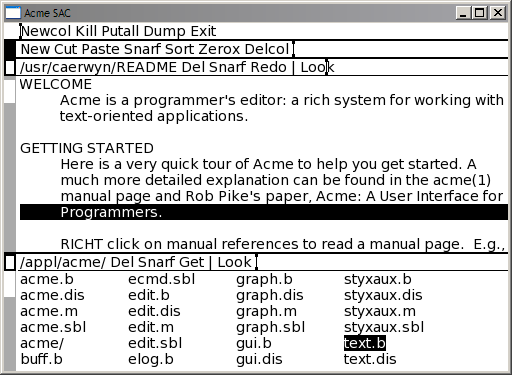
There is also a file /acme/color/standard for the default acme color scheme which can be copied tweaked.

Comments
## Body/Content text
acme-fg-text-0='#778899'
acme-bg-text-0='#FFF5EE'
##Highlighting
#button 1 col
acme-fg-text-1='#778899'
acme-bg-text-1='#DCDCDC'
#button 2 col
acme-fg-text-2='#FFF5EE'
acme-bg-text-2='#DC143C'
# button 3 col
acme-fg-text-3='#FFF5EE'
acme-bg-text-3='#008080'
##tags
# Header
acme-fg-tag-0='#FFF5EE'
acme-bg-tag-0='#2F4F4F'
# Highlighting with mouse-1
acme-fg-tag-1='#2F4F4F'
acme-bg-tag-1='#FFF5EE'
acme-bord-col-0='#708090'
acme-bord-row-0='#708090'
#
acme-bord-tag-0='#4682B4'
acme-bord-text-0='#99994C'
Keep up the awesome work!
Is there a way to have the tag that changes to Dark Medium Blue whenever the file content is modified (modbutcol), also become a part of the /acme/color/ layout?